Complete guide to agent skills in VS Code
Complete guide to agent skills in VS Code
Session Date: 2026-02-14
Summary Date: 2026-02-14
Summarized By: Dario Airoldi
Recording Link: Watch on YouTube
Duration: ~17 minutes
Speakers: Burke Holland (Senior Cloud Advocate, Microsoft)
Executive summary
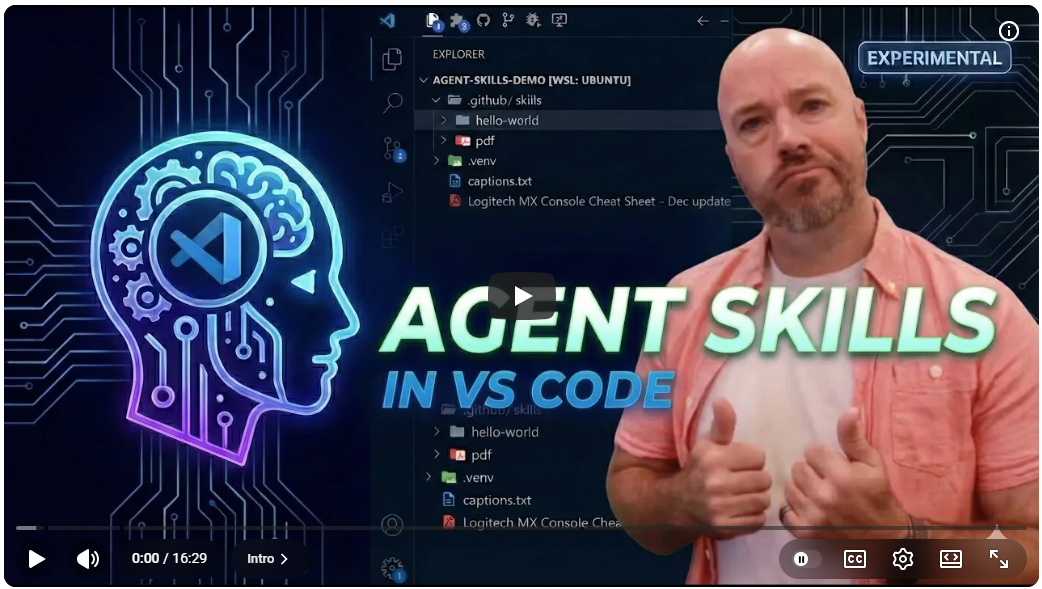
Agent skills are an Anthropic-originated specification now supported in VS Code that let you bundle scripts, templates, and instructions into modular, reusable capabilities for your AI agent.
They’re progressively loaded—meaning only the name and description enter the context window initially—making them highly efficient.
This session walks through building a skill from scratch, demonstrates progressive loading mechanics through the chat debug view, and clarifies when to choose skills over instruction files, prompt files, or custom agents.
Table of contents
- 🎯 What agent skills are
- ⚙️ Enabling skills in VS Code
- 🛠️ Building your first skill
- 📦 Bundling scripts and templates
- 🧠 How progressive loading works
- 📄 Using existing community skills
- 🔀 Skills vs prompts vs instructions vs custom agents
Session content
What agent skills are
Timestamps: 0:00–0:54
Key points:
- Skills are a way to provide instructions to the model, similar to instruction files, but with the ability to bundle together scripts, templates, and other files to define a specific capability.
- They’re a spec from Anthropic, supported in Claude Code and VS Code (via GitHub Copilot).
- Skills are experimental at the time of recording—expect changes.
“Agent skills are actually pretty simple to understand and pretty powerful.” — Burke Holland
Enabling skills in VS Code
Timestamps: 0:28–1:38
Key points:
- Skills aren’t enabled by default—you need to toggle on the experimental setting in VS Code.
- If skills aren’t working, check this toggle first.
- Skill folders can be placed in
.github/skills/,.copilot/skills/, or.claude/skills/at the root of your project.
Building your first skill
Timestamps: 1:39–4:31
Key points:
- Create a folder structure:
.github/skills/hello-world/ - Inside that folder, create a
SKILL.mdfile—this is a plain markdown file that defines the skill. - Required metadata at the top of
SKILL.md:nameanddescription(both mandatory). - Be as descriptive as possible with both fields because skills are automatically discovered by the model—you shouldn’t need to tell the agent to use a specific skill.
- Below the metadata, write the instructions that teach the model the skill’s behavior.
Demo summary: Burke created a basic “Hello World” skill that responds with ASCII art when the user types “hello world” in chat. The model automatically discovered the skill and responded using its instructions without being explicitly told to use it.
“The point of skills is that they get picked up automatically by the model and it knows when to use the skill.” — Burke Holland
Bundling scripts and templates
Timestamps: 4:31–9:10
Key points:
- Skills can include scripts (e.g., a Node.js script using the
osmodule to get system info) that the agent runs in the terminal during execution. - Skills can include response templates (markdown files) that define the exact output format the model should follow.
- Reference bundled files using relative path syntax (standard markdown link format) from inside
SKILL.md. - This modular approach keeps skill files manageable—scripts live in a
scripts/subfolder, templates in their own files. - You can define multi-step workflows inside a skill (e.g., step 1: run script, step 2: generate ASCII art, step 3: include script output).
Demo summary: Burke extended the Hello World skill to first run a JavaScript file that gathers OS information, then respond with ASCII art and the system details using a separate template file. The model followed the defined workflow and responded in the exact format specified by the template.
“You can provide your database schema in a markdown file or some other file and pass that into the skill. You can have multiple scripts in your skill. The possibilities are endless.” — Burke Holland
How progressive loading works
Timestamps: 9:11–12:05
Key points:
- Skills use a progressive loading strategy to minimize context window usage:
- First pass: Only the skill’s
name,description, and file path are included in the system prompt—the body and bundled files aren’t loaded yet. - Second pass: The agent decides it needs the skill and reads
SKILL.mdvia a tool call. - Subsequent passes: The agent reads referenced scripts, runs them in the terminal, reads templates—loading each resource only when needed.
- First pass: Only the skill’s
- This makes skills highly context-efficient compared to putting everything in instruction files (which are always passed in full).
- Burke demonstrated this using the chat debug view in VS Code, showing exactly how each resource gets loaded step by step across agent turns.
“Skills are super efficient… it’s sort of like progressively loading in these files and executing them as it needs to.” — Burke Holland
Using existing community skills
Timestamps: 12:05–15:01
Key points:
- The agent can technically run any terminal command, but it doesn’t know how to do everything—skills teach it new capabilities it wouldn’t otherwise have.
- Example: the agent can’t natively read PDF files. A PDF skill from the Anthropic skills repository teaches it to extract PDF contents using Python scripts.
- Two main sources for pre-built skills:
- github/awesome-copilot — Curated list of GitHub Copilot skills.
- anthropics/skills — Official Anthropic skills repository.
- To use a community skill, clone the repo and copy the skill folder into your project’s skills directory.
Demo summary: Burke added the PDF skill from the Anthropic repository to his project and asked the agent to read a Logitech MX Creative Console PDF manual. Without the skill, Opus 4.5 couldn’t read the file. With the skill installed, the agent used bundled Python scripts to extract the PDF contents successfully.
Skills vs prompts vs instructions vs custom agents
Timestamps: 15:02–16:28
Key points:
The following table summarizes when to use each customization mechanism. The Mechanism column identifies the tool, When to use describes the ideal scenario, and Characteristics notes the loading behavior:
| Mechanism | When to use | Characteristics |
|---|---|---|
| Instruction files | Information needed with every single prompt — general project context | Always loaded into context |
| Prompt files | Short prompts you reuse frequently | On-demand, user-triggered |
| Custom agents | When you want to define specific workflows the agent follows every time | Behavioral customization |
| Skills | Everything else — modular, bundled capabilities with scripts and templates | Progressively loaded, auto-discovered |
- These are all building blocks—there isn’t a strict right or wrong way to use them.
- Skills fill the gap for capabilities that require bundled resources (scripts, templates, schemas) and benefit from progressive loading.
“All of these are just building blocks to help you build out workflows that work for you and your team.” — Burke Holland
Main takeaways
- Skills are modular instruction bundles
- They package scripts, templates, and instructions together into a single capability that the agent auto-discovers and uses when needed.
- Progressive loading makes skills context-efficient
- Only the name and description enter the context window initially. The full skill content loads on demand across multiple agent turns, preserving context budget.
- SKILL.md is the only required file
- A skill needs just a
SKILL.mdwithnameanddescriptionmetadata. Scripts, templates, and other files are optional enhancements.
- A skill needs just a
- Community skills extend agent capabilities
- Pre-built skills (like the PDF reader) teach the agent how to do things it can’t do natively. Check the awesome-copilot and anthropic/skills repos.
- Use the right tool for the job
- Instructions for always-on context, prompts for reusable shortcuts, custom agents for workflow enforcement, skills for everything else.
Questions raised
- Q: When exactly should you use a skill vs an instruction file?
- A: Use instruction files for information needed on every prompt (project context). Use skills when you need to bundle scripts, templates, or modular capabilities that should be auto-discovered.
- Status: Answered
- Q: Will skills remain experimental, or are they heading toward stable?
- A: Not addressed in the session—skills were experimental at time of recording.
- Status: Open
Action items
Decisions made
- Skills are the recommended approach for modular, bundled AI capabilities
- Rationale: Progressive loading and auto-discovery make them more efficient and user-friendly than inline instructions
- Impact: Teams should consider skills for complex capabilities that require scripts, templates, or multi-step workflows
📚 Resources and references
Official documentation
GitHub Copilot Customization — Skills 📘 [Official]
GitHub’s official documentation on customizing Copilot with repository instructions, including skills configuration. Covers file placement, metadata requirements, and integration with VS Code.
VS Code Agent Extensions Documentation 📘 [Official]
Overview of how to extend GitHub Copilot in VS Code, including agent mode capabilities and customization mechanisms.
Session materials
Complete Guide to Agent Skills — Burke Holland 📘 [Official]
Full recording of this session. Burke Holland walks through building skills from scratch, demonstrates progressive loading, and clarifies the distinction between skills, prompts, instructions, and custom agents.
Community resources
github/awesome-copilot 📗 [Verified Community]
Curated list of GitHub Copilot skills, extensions, and resources maintained by GitHub. Growing collection of pre-built skills including PDF reading, code review, and more.
anthropics/skills 📗 [Verified Community]
Official Anthropic skills repository containing ready-to-use skills compatible with Claude Code and VS Code. Includes the PDF skill demonstrated in this session.
Follow-up topics
Topics identified for deeper exploration:
- Skill auto-discovery internals — How exactly does the model match a user request to available skills based on name and description?
- Skill versioning and sharing — Best practices for maintaining and distributing skills across teams and repositories
- Advanced skill patterns — Multi-script workflows, error handling inside skills, and conditional logic
Next steps
- Watch Burke Holland’s related session on orchestrations for complementary agent workflow patterns
- Review Burke Holland’s session on VS Code productivity for additional tips
- Build a custom skill for a real project use case to solidify understanding
Transcript segments
Expand for key transcript excerpts
Progressive loading explained
Timestamp: 9:14–11:56
Now one of the interesting things about skills is that they're sort of progressively
loaded so that they don't take up a lot of room in the context window... you'll see
skills. Here's a list of skills that contain domain specific knowledge. And you can see
the skill that we get here. It's hello world. So it's just the name and the description
and then a path to the file. So when you pass a request to the model, any skills you
have are passed here, but none of the other files that we've defined are passed, nor is
the body of the skill. Only this right here gets passed on that first agent pass.
When to use each customization type
Timestamp: 15:02–16:10
If you have instructions that you need to pass with every single prompt to the model,
like general information about the project, that should be an instructions file. If you
have a short prompt that you find yourself reusing a lot, that should be a prompt file.
If you want to tweak the way that the agent behaves, in other words, you want to define
specific workflows that you want it to follow every single time, that's a custom agent.
Everything else is probably a skill.
Recording Type: Tutorial
Tags: agent-skills, vs-code, github-copilot, anthropic, progressive-loading, customization
Status: Final