Session summary: MCP apps — building rich UIs in AI chat
Session summary: MCP apps — building rich UIs in AI chat
Session Date: 2026-02-14
Summary Date: 2026-02-14
Summarized By: Dario Airoldi
Recording Link: Watch on YouTube
Duration: ~18 minutes
Speakers: Burke Holland (Senior Cloud Advocate, Microsoft)
Executive summary
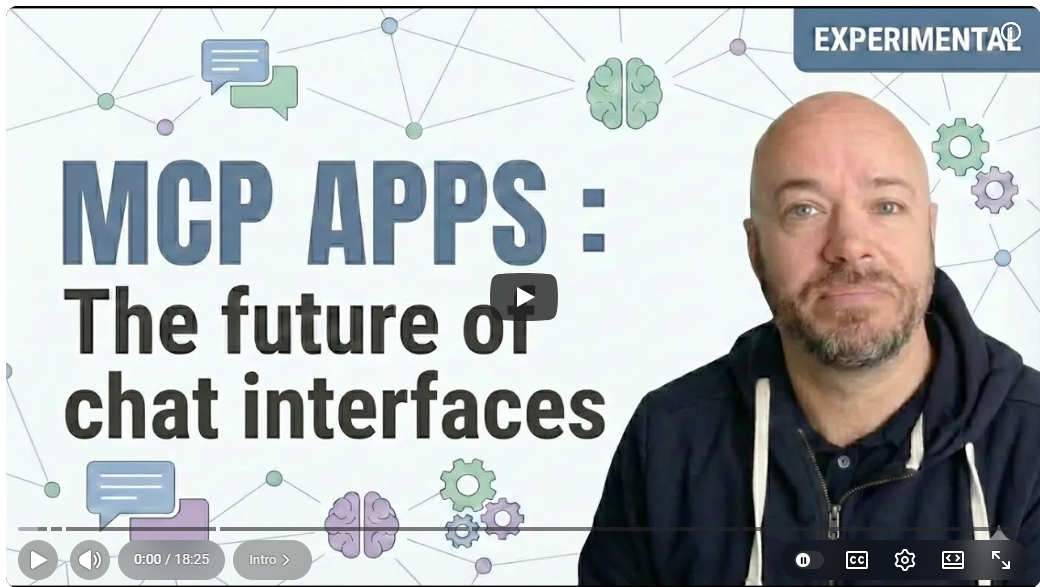
Burke Holland introduces MCP Apps—a new capability that lets MCP servers return rich, interactive UIs directly in the AI chat window. The video walks through building an MCP app from scratch, covering server setup with the TypeScript SDK, bundling UI with Vite, bidirectional communication between client and server, and the promise pattern for forcing the chat to wait for user input. It’s a practical, hands-on tutorial aimed at developers who build or consume MCP servers.
Table of contents
- 🎯 What are MCP apps?
- ⚙️ Enabling the experimental feature
- 💡 LIFX light control demo
- 🏗️ Building a hello world MCP server
- 🎨 Adding MCP apps UI to the server
- ⏳ Forcing the AI to wait with promises
- 🔮 Future outlook and skills
🎯 What are MCP apps?
Discussed by: Burke Holland
Timestamps: 0:10 – 0:29, 1:41 – 1:57
Key points:
- Previously, MCP servers could only return text in the chat. If a server needed clarification or wanted to show rich content, it couldn’t do that.
- MCP Apps solve this by enabling MCP servers to return full HTML-based UIs directly in the chat window.
- This is useful both as a consumer (richer interactions) and as a builder (better disambiguation, visual controls, forms).
“Text-only chat is a thing of the past… now we have the ability to show a UI.” — Burke Holland
⚙️ Enabling the experimental feature
Discussed by: Burke Holland
Timestamps: 0:32 – 0:42
Key points:
- At the time of recording, MCP Apps is an experimental feature in VS Code.
- To enable it: go to Settings → search for “MCP apps” → toggle on the experimental feature.
💡 LIFX light control demo
Discussed by: Burke Holland
Timestamps: 0:46 – 3:28
Demo summary: Burke demonstrates a custom MCP server that controls LIFX smart light bulbs. First, he issues a text command (“change the color of the lamp to blue”), which calls the LIFX API through the MCP server. Then he requests the “lamp control panel,” which renders a full interactive UI in the chat—complete with a light selector, color picker, and effects controls. The demo highlights a key use case: when the user doesn’t specify enough parameters (which light? what color?), the AI can show the interactive controller instead of guessing.
Key points:
- Text-only path: Simple commands like “change color to blue” work through standard MCP tool calls.
- Rich UI path: The command “show me the lamp control panel” returns a full interactive UI built with MCP Apps.
- Disambiguation: When parameters are missing, the AI recognizes this and shows the interactive controller automatically.
“You didn’t specify which light or what color. So, let me show you an interactive controller.” — AI response in demo
🏗️ Building a hello world MCP server
Discussed by: Burke Holland
Timestamps: 3:33 – 7:24
Key points:
- Burke starts from “absolute zero”—no files, no boilerplate. He builds a minimal MCP server in TypeScript.
- Dependencies:
@modelcontextprotocol/sdk(MCP TypeScript SDK),figlet(ASCII art generation),zod(schema validation). - The server registers a single
hellotool that generates a personalized ASCII art greeting. Thenameparameter is optional and defaults to “world.” - Adding to VS Code: Use the “MCP: Add Server” command → select Standard IO → specify
nodeas the command with the built JS file as an argument → save to workspace config. - Testing: Call the tool from chat (e.g., “call hello, my name is Burke”) and it returns ASCII art.
Resources mentioned:
- skills.sh — Vercel’s skill directory with MCP builder and MCP apps skills
- MCP Builder skill from Anthropic (available on skills.sh)
🎨 Adding MCP apps UI to the server
Discussed by: Burke Holland
Timestamps: 8:08 – 12:55
Key points:
- Architecture: An MCP app consists of an HTML file and a TypeScript file, bundled together into a single file by Vite using
vite-plugin-single-file. - New dependencies:
@anthropic-ai/ext-apps,cross-env,vite,vite-plugin-single-file. - The HTML file (
mcpapp.html) uses Pico CSS for lightweight styling—a simple form with a name input and submit button. - The client-side logic (
mcpapp.ts) usesdocument.getElementByIdand standard DOM APIs. On submit, it calls the server’shellotool viacallServerTool(). - Bidirectional communication: The form can call server tools, and the server can call back. This is a core feature of MCP Apps.
- Registering the UI: In the server’s
index.ts, import@anthropic-ai/ext-apps, define a UI resource with theui://scheme, register an app tool (show-get-name) that references the resource, and register a resource handler that reads and returns the bundled HTML.
Demo summary: After building and restarting the server, there are now two tools. Calling “show get name” renders the form in the chat. Entering a name and clicking submit calls the hello tool on the server, returning ASCII art directly in the UI.
“That’s the cool thing about MCP apps—they’re bidirectional. The form can call the server and the server can call back.” — Burke Holland
⏳ Forcing the AI to wait with promises
Discussed by: Burke Holland
Timestamps: 13:06 – 17:13
Key points:
- The problem: When the
show-get-nametool returns nothing, the chat finishes immediately after rendering the form. It doesn’t wait for user input. - The solution: Return an unresolved promise from the tool handler. The chat blocks until the promise resolves.
- Implementation steps:
- Declare a promise variable at the top of the server file.
- Create a new
submit-nametool with visibility set to MCP app only—the chat can’t see or call it, only the app can. - In the
show-get-namehandler, returnawaiton the promise instead of returning nothing. - In
mcpapp.ts, callsubmit-name(instead ofhello) on form submit. The server’ssubmit-namehandler resolves the promise. - Once resolved, the chat continues and displays the result.
- App-only tool visibility: The
submit-nametool isn’t visible in the chat’s tool list but can be called from the MCP app. This is a powerful pattern for separating user-facing tools from internal app tools.
“The chat doesn’t wait. It just shows the form and then finishes. So… we’re going to use a promise and return that promise unresolved.” — Burke Holland
🔮 Future outlook and skills
Discussed by: Burke Holland
Timestamps: 17:16 – 18:24
Key points:
- For real-world projects, Burke recommends using skills from skills.sh rather than building manually—specifically the MCP Apps Creator skill.
- MCP Apps will appear beyond VS Code: anywhere AI shows up, expect rich interfaces—charts for data queries, org charts for organizational questions, and more.
- The manual approach in the video serves to build understanding; in practice, AI-assisted tooling is faster.
“AI shows up in more places than just Visual Studio Code. And so you’ll start to see these rich interfaces appearing in places. And those are MCP apps.” — Burke Holland
Main takeaways
- MCP apps bring interactive UIs to AI chat
- They solve the fundamental limitation of text-only MCP server responses by enabling rich HTML-based interfaces directly in the chat window.
- The architecture is HTML + TypeScript bundled via Vite
- An HTML file for layout, a TypeScript file for logic, bundled into a single file with
vite-plugin-single-file. The@anthropic-ai/ext-appspackage handles communication.
- An HTML file for layout, a TypeScript file for logic, bundled into a single file with
- Bidirectional communication is the core pattern
- MCP apps can call server tools, and servers can call back. This enables real interactive workflows, not just static UI rendering.
- The promise pattern is essential for blocking workflows
- Returning an unresolved promise from a tool handler forces the chat to wait for user input—critical for disambiguation and form-based interactions.
- App-only tool visibility adds security and cleanliness
- Tools can be scoped so only the MCP app can see and call them, keeping the chat’s tool list clean and preventing unintended invocations.
Questions raised
- Q: How does MCP apps work across different AI hosts (not just VS Code)?
- A: Burke mentions MCP apps will appear wherever AI shows up, but specifics for non-VS Code hosts weren’t covered.
- Status: Open
- Q: What are the performance implications of bundling everything into a single HTML file?
- A: Not addressed directly. Vite’s single-file plugin handles the bundling.
- Status: Open
Action items
📚 Resources and references
Official documentation
Model Context Protocol specification 📘 [Official]
The official MCP specification and documentation. Covers the protocol fundamentals, tool registration, resource handling, and the communication model that MCP Apps builds upon.
VS Code MCP support documentation 📘 [Official]
VS Code’s official documentation on configuring and using MCP servers, including adding servers via Standard IO and workspace configuration.
@anthropic-ai/ext-apps on npm 📘 [Official]
The Anthropic package that powers MCP Apps’ client-server communication. Required dependency for building MCP apps with bidirectional tool calls and UI resource registration.
MCP TypeScript SDK (@modelcontextprotocol/sdk) 📘 [Official]
The official TypeScript SDK for building MCP servers. Used in the video to create the hello world server with tool registration, schema validation, and Standard IO transport.
Session materials
MCP Apps — Burke Holland (YouTube) 📗 [Verified Community]
Full recording of this session covering MCP Apps from concept to implementation. Includes three demos: LIFX light control, basic hello world MCP app, and the promise-based blocking pattern.
Community resources
skills.sh — Vercel Skill Directory 📒 [Community]
A curated directory of GitHub Copilot skills maintained by Vercel. Contains an MCP Builder skill from Anthropic and an MCP Apps Creator skill for scaffolding MCP app projects quickly.
Pico CSS 📒 [Community]
A minimal, semantic CSS framework used in the demo for lightweight form styling. Useful for building quick MCP app UIs without heavy CSS dependencies.
Vite 📘 [Official]
The build tool used to bundle MCP app HTML and TypeScript files into a single file. Combined with vite-plugin-single-file to produce the self-contained HTML that MCP Apps requires.
LIFX API 📘 [Official]
The smart light API used in the opening demo to control light bulb color and effects via the MCP server.
Follow-up topics
Topics identified for deeper exploration:
- MCP apps in non-VS Code hosts — How do MCP apps render in other AI environments (web, mobile, other IDEs)?
- Advanced MCP app patterns — Multi-step forms, state management across interactions, and complex UI components.
- MCP app security model — Deeper dive into app-only tool visibility, sandboxing, and content security policies for rendered HTML.
Next steps
- Explore Burke Holland’s related videos on Skills and Orchestrations for the full series
- Monitor the MCP Apps feature for graduation from experimental to stable in VS Code
- Build a practical MCP app using the promise pattern for a real-world disambiguation use case
Transcript segments
Expand for key transcript excerpts
What are MCP apps?
Timestamp: 0:10
MCP apps is basically a UI that MCP apps can return in the chat. So, it's cool if
you're a user and it's cool if you're building MCP servers. In this video, we're going
to look at how it works and how you can add it to your MCP server today, and then
we'll look at what the practical use cases of MCP apps even are.
Bidirectional communication
Timestamp: 10:17
So that's the cool thing about MCP apps is that they're bidirectional. So the form
can call the server and the server can call back. And we're going to get the result
here. And then we're going to pass in the name, which we're pulling from the form,
pass that to the tool, and then get back the ASCII art.
Promise pattern for blocking
Timestamp: 13:06
The chat doesn't wait. It just shows the form and then finishes. So what would happen
if we actually wanted to show a form and then have the chat wait for our input?
Because that could be one use case for MCP apps is that we want to solicit feedback
from the user. We want to use MCP apps to do it and we want the chat to wait. So to
do that, we're going to need to use a promise and return that promise unresolved and
then have the chat wait until that promise resolves.
App-only tool visibility
Timestamp: 14:32
The way that it's going to be most different is that its visibility is only to the MCP
app. So, the chat can't actually see this tool. It can't call it. Only the app can
call this tool. So that's another benefit of MCP apps—some things you can specify that
are tools for the MCP server that only your app can call.
Recording Type: Tutorial
Tags: mcp, mcp-apps, vs-code, typescript, vite, interactive-ui, ai-tools
Status: Draft